





Magnetic Power Banks for Samsung: Case Fit, S Pen and OEM Compatibility Checklist
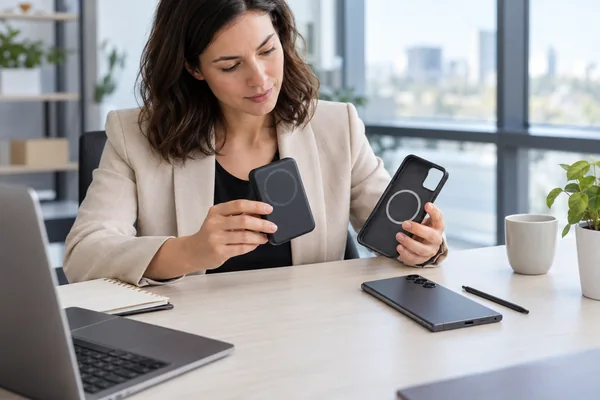
A magnetic power bank for Samsung should be approved with the exact Galaxy phone and case that customers will use. Check that it seats correctly, clears the cameras, charges consistently and, on supported Ultra models, does not disrupt S Pen writing. A strong magnetic attachment alone does not establish charging compatibility.
For an importer or private-label buyer, the useful deliverable is a documented phone–case–power-bank combination. This guide provides a sample-acceptance worksheet for that decision. It is a proposed buyer checklist, not a report of completed YULIDA tests or a Samsung certification procedure. For broader Android product selection, start with our magnetic power bank guide for Android.
Define what “Samsung compatible” means before requesting samples
Ask the supplier to identify the Galaxy model, case SKU, power-bank model and hardware revision. Include the charging mode being claimed. “Works with Samsung” leaves too much unanswered: a case can fit one phone but obstruct another camera layout, and a wireless charging claim can describe a different combination from the one offered.
Separate these three statements in the specification:
- Mechanical attachment: the case and power bank hold together in the intended position.
- Charging compatibility: the phone accepts power with the specified accessories and settings.
- Usability: the combination allows the functions your customers need, including camera use and S Pen input where applicable.
A failure in one area should not be hidden by success in another. A sample that charges but blocks a camera is not ready for a camera-friendly product claim.
Know the difference between a magnetic case and Qi2 Ready
The Wireless Power Consortium describes Qi2 Ready as a way for approved combinations of smartphones and accessories, such as cases, to provide the Qi2 experience. That does not mean adding any magnetic ring turns any phone into a Qi2-certified device. Consult the WPC explanation of Qi2 Ready combinations and check the exact products being offered.
Samsung’s Galaxy S25 accessories guidance lists its Clear Magnet Case for Qi-certified charging up to 15W. Treat that as guidance for the described accessory arrangement, not a guarantee for every magnetic power bank. A 25W marking on a charger also does not establish the power a particular Samsung phone will receive.
If a supplier claims Qi certification, request the exact WPC ID and match the product listing to the model and configuration in the quotation. Use the WPC certified-product database; a logo in a sales image is not enough. Certification claims for a specific YULIDA model must be checked separately.
Inspect case fit and camera clearance first
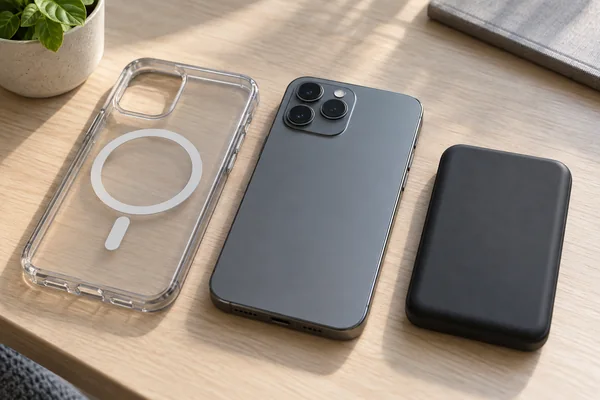
Begin with an unpowered physical check. Install the intended case, attach the power bank in its intended position and examine the assembly from the side. Look for a camera lip that prevents flush seating, rocking between contact points, an obscured lens or pressure on a button.
Record the case and power-bank dimensions, then photograph the assembled combination. There is no universal camera-clearance measurement that can be assigned to every Galaxy model and case. Agree on the acceptance requirement for the actual design.
- Check each camera view that the product claim is meant to support. Inspect the physical clearance as well as a sample image.
- Check access to the USB-C port and, on relevant phones, the S Pen opening.
- Try the intended grip and orientation over a protected work surface. Do not use an unsupported phone-drop demonstration to assess magnetic retention.
- Repeat the check with every case SKU included in the proposed compatibility list.
Do not move the power bank away from the intended coil position just to clear the camera, then assume wireless performance is unchanged. Physical fit and charging alignment must pass together.
Check S Pen input with and without the accessories
Samsung says magnetic material in third-party cases or covers can interfere with S Pen recognition on parts of the screen. Its troubleshooting advice includes removing the accessory and trying again. See Samsung’s S Pen input guidance. This does not mean every magnetic power bank causes interference or permanent damage.
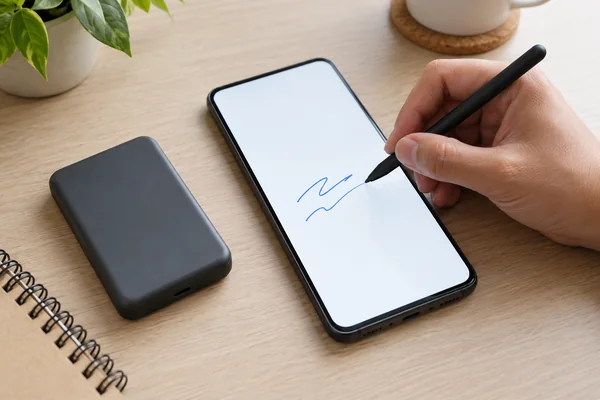
For a Samsung Ultra product line that includes S Pen use, agree on a repeatable writing check. The following sequence isolates the accessory combination without pretending to be an official laboratory method:
- Confirm normal pen input on the phone without the magnetic accessories. Record the phone model, software version and writing app.
- Repeat the same strokes with the proposed case installed but no power bank attached.
- Repeat with the intended power bank attached. Cover the usable writing area, including the edges, and note missed strokes, offset input or warnings.
- Where permitted by the product instructions, compare attached and actively charging use. Record the state instead of mixing the results.
- If input changes, remove the accessory and retest. Keep the issue open until the combination or its intended-use claim is resolved.
For the Galaxy S25 family, Samsung identifies the S25 Ultra as the S Pen-compatible model and states that Air actions are not supported. Do not classify the absence of that remote feature as a magnetic-accessory fault. Keep the test focused on functions supported by the phone.
Test charging continuity separately from magnetic attachment
Samsung’s Galaxy S25 magnetic-cover support page discusses coil misalignment and charging interruptions with some cover and charger combinations. It recommends appropriate positioning and a Qi 2.0-or-higher Magnetic Power Profile charger. Use this as a reason to verify the complete arrangement, not to diagnose every interruption as foreign-object detection.
Write the conditions before running a comparison: phone and power-bank starting charge levels, room conditions, case SKU, software version, charging settings, screen activity and observation period. The duration and acceptance thresholds should come from the agreed specification and relevant product instructions. Avoid inventing one temperature or restart threshold for every model.
Record whether charging starts, continues and resumes after normal removal and reattachment. Note repeated reconnects and warnings. If measured power is part of acceptance, specify the measurement method and what it measures. A USB input meter reading on the power bank is not automatically the wireless power received by the phone. A charging animation is not a wattage measurement either.
Stop testing if the product behaves abnormally, is damaged or shows a safety warning. Follow the manufacturer’s instructions and have the issue assessed before continuing. Wired charging can be evaluated as a separate supported mode; it does not turn a failed wireless combination into a wireless pass.
Use a combination-level acceptance worksheet
The table below is an empty recording structure. It contains no sample results or assumed pass decisions. Use one record for each phone, case and power-bank combination.
| Prüfung | Aufzeichnung | Decision before approval |
|---|---|---|
| Produktidentität | Phone model and software; case SKU; power-bank model, revision and sample ID | Does the tested combination match the proposed sales claim? |
| Physical fit | Assembly photos, contact points, camera clearance, port and pen access | Are all intended functions accessible without changing coil alignment? |
| S Pen input, if applicable | Baseline, case-only and attached-bank observations; affected screen areas | Does input remain acceptable for the stated use? |
| Charging continuity | Starting charge levels, conditions, duration, warnings and restart events | Does performance meet the agreed combination-specific requirement? |
| Charging claims | Supported mode; measurement method; model-specific certification evidence where claimed | Is each label or listing claim supported by the evidence? |
| Release decision | Open issues, corrective action, retest record and approving person | Approve, reject or hold this combination, with reasons recorded. |
Photographs and a short recording of an issue can help the supplier reproduce it. Keep the original sample identifiers with the files. If the case geometry, magnet arrangement, housing or firmware changes, review which approved combinations need retesting before accepting the changed product.
Turn the findings into an OEM purchasing requirement
Send the target Galaxy models and case SKUs with the RFQ. Specify whether customers must be able to write with the S Pen while the bank is attached, which camera functions must remain accessible and which charging claims you intend to print. Request a written response for each combination, including unresolved limitations.
Ask for the approved sample record, current specification, relevant model-specific documents and a change-notification process. Avoid a blanket compatibility statement copied across every Galaxy model. Keep the evidence with the packaging and listing approval so the sales copy describes what was actually checked.
For a YULIDA project, use the OEM/ODM inquiry process to submit those requirements, target market, quantity and customization scope. Confirm model availability, documentation and the agreed sample-validation work in the quotation. The illustrations in this article depict generic planning scenarios; they are not records of a completed compatibility test.
Häufig gestellte Fragen
1. Can a magnetic power bank work with a Samsung phone?
It can work with a supported phone and accessory combination. Verify the phone’s wireless charging support, the intended case or magnetic attachment and the power bank’s charging mode. Approve the exact combination rather than extending one successful sample to every Samsung model.
2. Does adding a magnetic ring make a Samsung phone Qi2 certified?
No. A ring provides a mechanical attachment feature; it does not by itself establish Qi2 certification or add wireless charging hardware. Qi2 Ready relies on approved phone and accessory combinations. Check the relevant product documentation and certification listing before making a Qi2 claim.
3. Can charging work while S Pen writing is affected?
Charging operation and pen input are separate checks. Samsung documents possible S Pen recognition interference from magnetic cases or covers. Establish normal input without accessories, then compare the case-only and attached-bank arrangements. Do not use charging success as evidence that pen input is unaffected.
4. Does every Galaxy Ultra model use the same acceptance test?
No. Record the exact model and supported functions. For example, Samsung says the Galaxy S25 Ultra supports S Pen input but not Air actions. Test the functions the phone actually offers and repeat the relevant checks when the phone, case or power-bank configuration changes.
5. Will a 25W magnetic power bank charge every Samsung phone at 25W?
No. The charger’s rating does not guarantee the phone’s received power. The supported charging mode, exact phone, accessory combination and operating conditions affect the result. Keep the charger’s rated output separate from any measured phone-side performance claim.
6. How much camera clearance should a buyer require?
Define clearance for the actual phone and case geometry rather than using an invented universal distance. Check that the bank seats correctly, does not obstruct the intended camera views and leaves required controls accessible. Record assembly photos and verify charging in that same position.
7. What should a buyer do if charging repeatedly disconnects?
Record the phone, case, power-bank model and operating conditions, then check the manufacturer’s positioning and compatibility instructions. Samsung identifies cover alignment and charger-profile compatibility as possible issues on the S25 series. Do not assume every restart has the same cause; stop on abnormal behavior and resolve the issue before approval.
8. What should an OEM buyer send YULIDA before ordering samples?
Send the target Galaxy models, case SKUs, intended charging modes, S Pen and camera-use requirements, destination market, quantity and branding scope. Ask for a model-specific proposal and agree on the sample evidence and acceptance criteria before approving compatibility claims or production.
Offizielle Quellen und Nachweise
Diese Primärquellen stützen die Aussagen dieses Artikels zu Normen, Kompatibilität, Sicherheit und Transport. Prüfen Sie die aktuellen Anforderungen für das genaue Produktmodell und den jeweiligen Zielmarkt.
- Wireless Power Consortium — Qi- und Qi2-Standards, Zertifizierung und Informationen zum kabellosen Laden.
- Samsung Support : Voraussetzungen und Anwendungshinweise für kabelloses Laden.
- Wireless Power Consortium — Qi- und Qi2-Standards, Zertifizierung und Informationen zum kabellosen Laden.
- Samsung Support : Voraussetzungen und Anwendungshinweise für kabelloses Laden.
- Samsung Support : Voraussetzungen und Anwendungshinweise für kabelloses Laden.
