








How to Test Power Bank Capacity: mAh, Wh and Rated Output Explained for OEM Buyers
Test usable power bank capacity by fully charging the finished unit, then discharging it through a controlled electronic load to an agreed endpoint. Log output voltage, current and time, and report both mAh and Wh for the stated output profile. Compare the results with the product’s rated output capacity under the same conditions. The battery-cell mAh printed on the front uses a different measurement basis.
Jump to: Test equipment · 6-step capacity test · mAh/Wh conversion · OEM acceptance checklist.
A supplier’s photo showing “6,000mAh” is not enough to approve an OEM order. The report also needs the output voltage and port, starting charge, and reason the run ended. It should identify the sample, production lot and test method so the result can be traced back to the configuration supplied.
This guide concerns normal-use capacity tests on intact power banks. Use the suggestions to agree purchasing requirements with the supplier; follow the specified standard and laboratory safety procedure for the test itself. The numerical examples are calculations, not YULIDA product test results.
What does power bank capacity actually mean?
Capacity describes charge, while watt-hours describe energy. Keysight distinguishes Ah and mAh from Wh and explains that nominal battery energy is calculated from capacity multiplied by nominal voltage. Actual discharge energy requires voltage and current measurements under controlled conditions. Keysight: validating battery capacity and energy ratings.
When reviewing a specification, keep these ratings separate:
| Quantity | What it describes | What the buyer should record |
|---|---|---|
| Cell or battery capacity, mAh | Charge at the battery level under its specified test method | Whether the value is minimum, rated or typical; the corresponding voltage and configuration |
| Nominal battery energy, Wh | Capacity in Ah multiplied by the corresponding nominal voltage | The battery-level energy rating and its calculation basis |
| Rated output capacity, mAh | A declared output-capacity value under stated discharge conditions | Port, output voltage, current and test method |
| Measured output energy, Wh | Energy delivered across a defined measurement point during a test | Voltage/current log, endpoint and included cable or fixture losses |
| Maximum output power, W | The rate at which the product can supply energy | Supported profile, duration and operating conditions |
“65W” describes output power; “20,000mAh” describes charge capacity. To judge whether a power bank suits a laptop, you still need its stored energy and the power its USB-C port can sustain.
Before calculating Wh, check which voltage the mAh rating uses. A series-connected pack may be rated at its actual pack voltage, while a marketing mAh figure may use a cell-equivalent voltage. Multiplying that cell-equivalent figure by the higher pack voltage overstates the energy. The supplier should be able to reconcile the stated mAh, voltage and Wh.
Why a 10,000mAh power bank can have a lower rated output capacity
Consider a battery rated at 10,000mAh and 3.7V:
10,000mAh ÷ 1,000 × 3.7V = 37Wh
If all 37Wh of that nominal energy could be delivered at exactly 5V, the corresponding charge would be:
37Wh ÷ 5V × 1,000 = 7,400mAh
This calculation assumes loss-free delivery of the nominal 37Wh. In a test, the result depends on voltage conversion, the product’s own power consumption and the discharge endpoint. The battery’s actual discharge energy may also differ from the nominal value, so 7,400mAh is not a guaranteed output.
Xiaomi’s PB1022ZM specification provides a useful example: the battery is listed as 37Wh, 3.7V and 10,000mAh, while rated output capacity is 5,500mAh at 5V/3A. Both ratings describe the same product, at different measurement points. Xiaomi official specifications.
Using those declared values, 5,500mAh at 5V corresponds to 27.5Wh. Dividing 27.5Wh by 37Wh gives about 74.3%. Dividing 5,500mAh by 10,000mAh gives 55%, but that is not an energy-efficiency calculation because the voltages differ.
Use these figures to check the arithmetic, not as an acceptance limit for another model.
Use Wh when comparing different output voltages
For a constant voltage:
Output energy (Wh) = output capacity (mAh) ÷ 1,000 × voltage (V)
The following table expresses the same hypothetical 30Wh at different fixed voltages. It does not predict that one power bank will deliver 30Wh in every mode.
| Fixed output voltage | Charge equivalent to 30Wh |
|---|---|
| 5V | 6,000mAh |
| 9V | Approximately 3,333mAh |
| 20V | 1,500mAh |
A lower mAh reading at 20V is therefore not, by itself, evidence of lower stored energy.
When voltage changes during a test, calculate energy from the voltage and current log rather than multiplying total mAh by one nominal voltage. For logged intervals measured in seconds:
Output capacity (mAh) ≈ Σ[current (A) × interval (s)] ÷ 3.6
Output energy (Wh) ≈ Σ[voltage (V) × current (A) × interval (s)] ÷ 3,600
The measurements need to represent each interval. Use suitable integration or trapezoidal averaging and a logging rate that captures the behaviour under review. Sparse readings can miss changes between samples; the calculation cannot recover fast voltage transients that the instrument never recorded.
Check how the supplier calculated “efficiency”
Before comparing efficiency figures, check what was measured at the input and output, and under which operating conditions.
Texas Instruments publishes efficiency data for the boost-converter circuit in its power-bank reference design. The data compares electrical output and input at specified operating points. It describes that circuit, rather than the energy delivered by a finished power bank over a full discharge. TI PMP9776 reference design.
Converter efficiency is output power divided by measured converter input power under the same operating conditions. A supplier who divides full-discharge output Wh by nominal battery Wh is reporting a different ratio: delivered energy relative to the battery rating. That ratio does not isolate converter losses.
Round-trip efficiency compares recovered output energy with the energy supplied during recharging. The test needs matching starting and ending battery states and clearly defined measurement points.
The meter’s location matters here. A wall-side input reading includes adapter losses; a reading at the power bank’s USB input excludes them. Both measure supplied energy or charge, rather than charge stored inside the cells.
For quotation comparisons, request the definition and test record behind each efficiency claim. A percentage measured at one port and load may not apply elsewhere in the discharge cycle.
Prepare the test equipment and measurement point
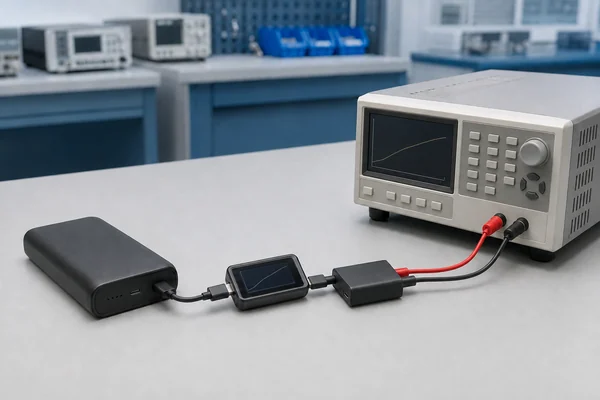
The bench setup needs a controlled load and voltage/current measurement. It also needs to retain the data after the power bank switches off.
For USB-C PD, a compatible sink or trigger must request the intended profile. A protocol analyser can verify the agreement. A load set to draw 2A does not by itself request 9V from a PD source. USB-IF describes power delivery as a negotiated system in which devices request suitable power. USB-IF Power Delivery overview.
Use equipment rated for the selected voltage, current and continuous dissipation. Confirm its operating limits at the actual test voltage, not just its headline wattage. Programmable loads can offer constant-current and constant-power modes; these are different control methods. Keithley Series 2380 electronic loads.
For the agreed test, specify:
- A suitable electronic load and any required protocol sink or analyser.
- Voltage/current measurement with documented accuracy and calibration status.
- A rated cable or fixture, with the connection arrangement photographed.
- Temperature monitoring and data storage that survives output shutdown.
Define whether energy is measured at the product’s output connector or at the far end of a supplied cable. A downstream measurement includes losses in the intervening cable and contacts. For a built-in cable, its losses belong to the delivered product when the claim concerns energy at that cable’s plug.
Keep the test fixture consistent between suppliers. Account for meter burden and accessory power consumption. If an analyser has an external power option, confirm that it does not feed energy into the measured output path.
How to run a repeatable power bank capacity test
Use this sequence to discuss the procedure with the factory. If the project specifies a standard, follow the method in the agreed edition; this checklist does not replace it.
1. Identify the sample before charging
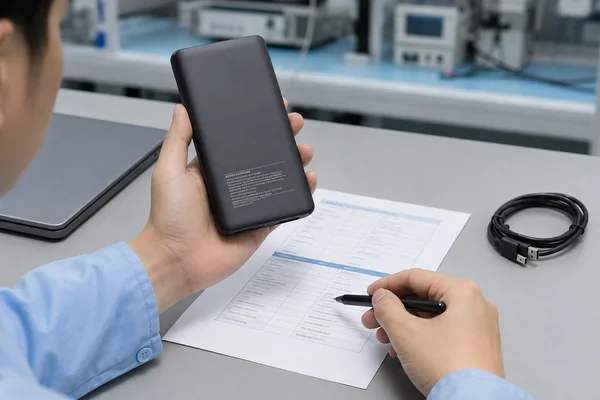
Record the SKU, sample or serial number, production lot, battery model, PCBA revision and firmware where available. Photograph the rating label. Note whether the unit is new, a retained production sample or a used return.
Check the construction against the approved sample record. A report for another capacity variant or an earlier board revision will not establish how the current shipment performs.
2. Set the charge, rest and environmental conditions
Charge through the normal input using the approved charger and cable. Follow the manufacturer’s charge-completion method and the agreed rest period. Record ambient temperature and any conditioning cycles; do not add repeated cycles until a weak sample happens to pass.
Disconnect the input supply before an ordinary output-capacity test. With pass-through charging active, external energy can enter the system, so the result would no longer describe a discharge from the starting battery alone.
Discharge rate, temperature and endpoint affect battery results. Keysight’s electronic-load guidance explains these dependencies and the need to respect the battery’s lower discharge limit. Its cell example is not a USB-output cutoff specification for a finished power bank. Keysight electronic-load fundamentals.
3. Confirm the port and output profile
Connect the fixture and select the required mode. Verify the actual output voltage and, for PD, the negotiated profile before recording the run. Reset the energy, capacity and time counters.
To verify an output-capacity claim stated at 5V/3A, test at 5V/3A with a unit and setup rated for that condition. Keep a 5V/1A result separate. Record the state of unused ports and wireless charging as well.
4. Apply the agreed load and log the discharge
In constant-current mode, the load attempts to hold the selected current. In constant-power mode, it adjusts current as voltage changes to maintain the selected power, within its limits. State which mode is used.
Save voltage, current, elapsed time and accumulated energy, together with the temperature record. Include interruptions and renegotiations in the log. A low-power continuation after a reset must not be presented as uninterrupted operation at the original profile.
5. Stop at the defined endpoint
Specify whether the capacity run ends at normal output shutdown or at a stated loss of valid output, including any required duration below the limit. Record the first event that ends the valid test.
A safety abort, a dropped PD contract and normal battery-depletion shutdown are different results. Do not restart the unit repeatedly and add the recovered energy to a continuous-run result unless the agreed method explicitly calls for that recovery test.
6. Preserve the result and repeat as planned
Store the raw log, final counters, test-setting file and setup photograph under the sample ID. Include the reason the test stopped alongside the final mAh reading.
Before an independent test at another profile, fully recharge the unit and restore the specified conditions. Follow the agreed sample count and repetition plan. If runs vary substantially, investigate the setup and samples before using an average to decide acceptance.
Separate label verification from application testing
Test at the declared rating condition to verify the capacity claim. Use separate runs to assess laptop loads, low-power devices or other applications, and label each report with its purpose.
| Test purpose | Setup to define | Result to retain |
|---|---|---|
| Rated output-capacity check | Declared port, voltage, load and environmental conditions | mAh, Wh and result against the declared requirement |
| Laptop-power evaluation | Supported PD profile and agreed continuous load | Output Wh, time within the required power range and any derating |
| Low-power device use | Representative load and low-current mode setting | Delivered energy, automatic shutdown and restart behaviour |
| Simultaneous outputs | Specified loads on all active outputs | Per-port energy, total energy and interruptions |
For simultaneous wired outputs, sum Wh measured over the same discharge run. Do not add two single-port results obtained after separate full charges and call the sum the product’s total capacity.
Keep wireless results separate unless the measurement boundary is fully defined. Energy measured at a wireless receiver includes a different conversion path from energy measured at a USB port. Receiver choice, alignment and test conditions belong in that report.
Use the separate USB-C PD specification checklist for protocol and shared-output approval. Capacity testing alone does not verify every charging claim.
How to investigate a low or inconsistent reading
If a reading looks wrong, check the measurement conditions first. A low result alone does not establish that the cells are counterfeit, and it is not a reason to lower the agreed acceptance limit.
| Observation | What to check next |
|---|---|
| Output mAh is lower than the front-label mAh | Compare the voltage bases and convert to Wh; find the declared output-capacity condition |
| The run ends much earlier than expected | Check starting charge, selected load, output contract and the recorded shutdown reason |
| The load-end voltage is low | Inspect cable and contact losses; compare voltage at the agreed product measurement point |
| Repeat runs differ substantially | Check charging/rest conditions, temperature, counter resets, calibration and sample history |
| Output drops to a lower power during discharge | Separate energy delivered before derating from later energy; compare with the sustained-power requirement |
| The final reading is missing after shutdown | Check logger power and data retention; do not reconstruct a pass result from an earlier screenshot |
If the setup checks out and the sample still falls below the agreed limit, retain the failed record with its lot identification. Request a documented investigation, and link any rework, replacement or retest to that original result.
Put capacity acceptance criteria in the purchase specification
“Real 10,000mAh” is too vague for an acceptance decision. State the battery rating separately from the finished product’s output requirement. For the battery component, request minimum and typical capacity with the relevant datasheet conditions; the battery-cell selection guide covers those records.
For the finished unit, specify the required output mAh or Wh together with the test condition and measurement point. If the requirement uses both mAh and Wh, explain how they relate and how voltage variation will be handled.
Do not adopt a generic “70%,” “80%” or “90%” rule without defining its denominator and technical basis. The acceptance value must fit the supported product claim, applicable requirements and signed specification. A converter’s peak efficiency is not an acceptance allowance for missing battery capacity.
Agree with the laboratory how measurement uncertainty will affect results near the limit, including when to report a pass, fail or inconclusive result. Uncertainty does not automatically reduce the contractual minimum.
Put the sample count, allowable failures and retest rule in writing. Since a shipment average can conceal individual failures, state whether each selected unit must meet the minimum and what a failed unit means for lot release.
A capacity-test brief to send with the RFQ
| Field | Required entry |
|---|---|
| Product identity | Model, SKU, revision, approved battery and production lot |
| Battery declaration | mAh, corresponding nominal voltage, Wh and rating basis |
| Output requirement | Minimum mAh and/or Wh, with the declared port and profile |
| Test preparation | Input charger/cable, charge completion, rest and conditioning |
| Environment | Ambient range, sample temperature and orientation |
| Discharge settings | CC or CP mode, current/power and other output states |
| Measurement boundary | Connector location, supplied cable and included fixture losses |
| End conditions | Normal endpoint, output-validity criteria and separate safety-abort limits |
| Equipment | Instrument IDs, accuracy, calibration status and logging settings |
| Acceptance plan | Sample count, individual/lot decision rules, uncertainty and retest treatment |
| Evidence | Raw data, discharge curve, setup photo, temperatures and stop reason |
Send this blank requirements template with the product specification. Before approving a capacity claim for the label or packaging, obtain the agreed test method and results tied to identified samples. The template itself is not test evidence.

Check phone-recharge claims with a device test
Use a phone to check compatibility. For a repeatable capacity comparison, use a controlled load: the phone’s screen, software, temperature and charging controls change its demand during the run.
To estimate recharge count, start with measured usable output Wh and the phone battery’s energy requirement. Then account for losses after the power bank’s measurement point and any phone operation during charging. State the phone model, initial and final charge levels and test conditions.
Dividing “20,000mAh” by “5,000mAh” is not enough to claim four complete recharges. Support that claim with a reproducible test on the stated device.
Keep capacity and safety evaluations separate
An intact unit can deliver the expected energy and still require separate safety evaluation. UL describes UL 2056 as covering power-bank hazards such as overcharge/discharge, short circuits, overload and thermal behaviour. A normal discharge-capacity test does not reproduce that safety programme. UL Solutions: power-bank safety testing.
Run tests in a supervised, suitable work area using rated fixtures and the approved safety limits. Stop if the unit swells, leaks, develops an unusual odour or exceeds those limits. Follow the site’s battery-emergency procedure. Do not open the case, bypass protection or force further discharge to recover a higher reading.
Frequently asked questions
1. Is a lower USB-output mAh reading proof of fake capacity?
No. First check whether the battery and USB-output ratings use different voltages. Compare Wh, then test under the declared output conditions. If the result still falls below the supported requirement, investigate the shortfall rather than attributing it to voltage conversion.
2. Can a USB tester measure a power bank’s internal cell capacity?
A USB tester measures charge and energy at its connection point, not inside the cells. It cannot verify the cells’ identity. Checking cell capacity requires a separate controlled test with appropriate laboratory equipment; routine buyer checks should leave the finished unit intact.
3. Should I test at 5V or at a USB-C PD voltage?
Use the declared condition for the rated output-capacity check. For a laptop or another PD application, add a separate test at the relevant supported profile. Record the voltage, load and endpoint for each run, and compare Wh across different voltages.
4. Does the mAh recorded while recharging equal battery capacity?
No. The reading depends on input voltage and the battery’s starting charge. Recharge energy also covers charging losses and the product’s own consumption, so an input counter cannot establish internal cell capacity or usable output energy.
5. What efficiency percentage should an OEM buyer accept?
The acceptable value depends on what the percentage measures. Converter efficiency, output Wh divided by nominal battery Wh, and round-trip efficiency use different inputs and outputs. Agree on the definition, conditions and acceptance value for the model being purchased.
6. Can two output ports be tested separately and their capacities added?
Not when each test starts from a separate full charge. Each run uses the battery’s stored energy again. For simultaneous total output, test the agreed port combination in one discharge and add the Wh measured across the active outputs.
Discuss your capacity requirements with YULIDA
Send YULIDA your intended capacity, target devices, output profiles, cable requirements and expected order quantity. Include the test brief above and request results for the configuration you plan to order.
Review the battery declaration and finished-product output results before approving the sample. Once the method and acceptance criteria are agreed, include them in the production specification. Contact YULIDA about your power bank project.
Official sources and verification
These primary sources support standards, compatibility, safety, or transport statements discussed in this article. Confirm the current requirement for the exact product model and destination market.
- USB Implementers Forum — USB Type-C and USB Power Delivery specifications and guidance.
- UL Solutions — Battery safety standards and technical safety information.
